Ready to sell your Pi coins? If yes, you’ve come to the right place. Pi Network is a decentralized blockchain designed to enable mobile mining of Pi coins. In this article, we’ll provide deeper insights into how to sell Pi coins, including the associated costs and risks. We’ll also cover the key requirements to check before trading Pi, where to sell, and practical tips to maximize returns.
Can You Sell PI Right Now?
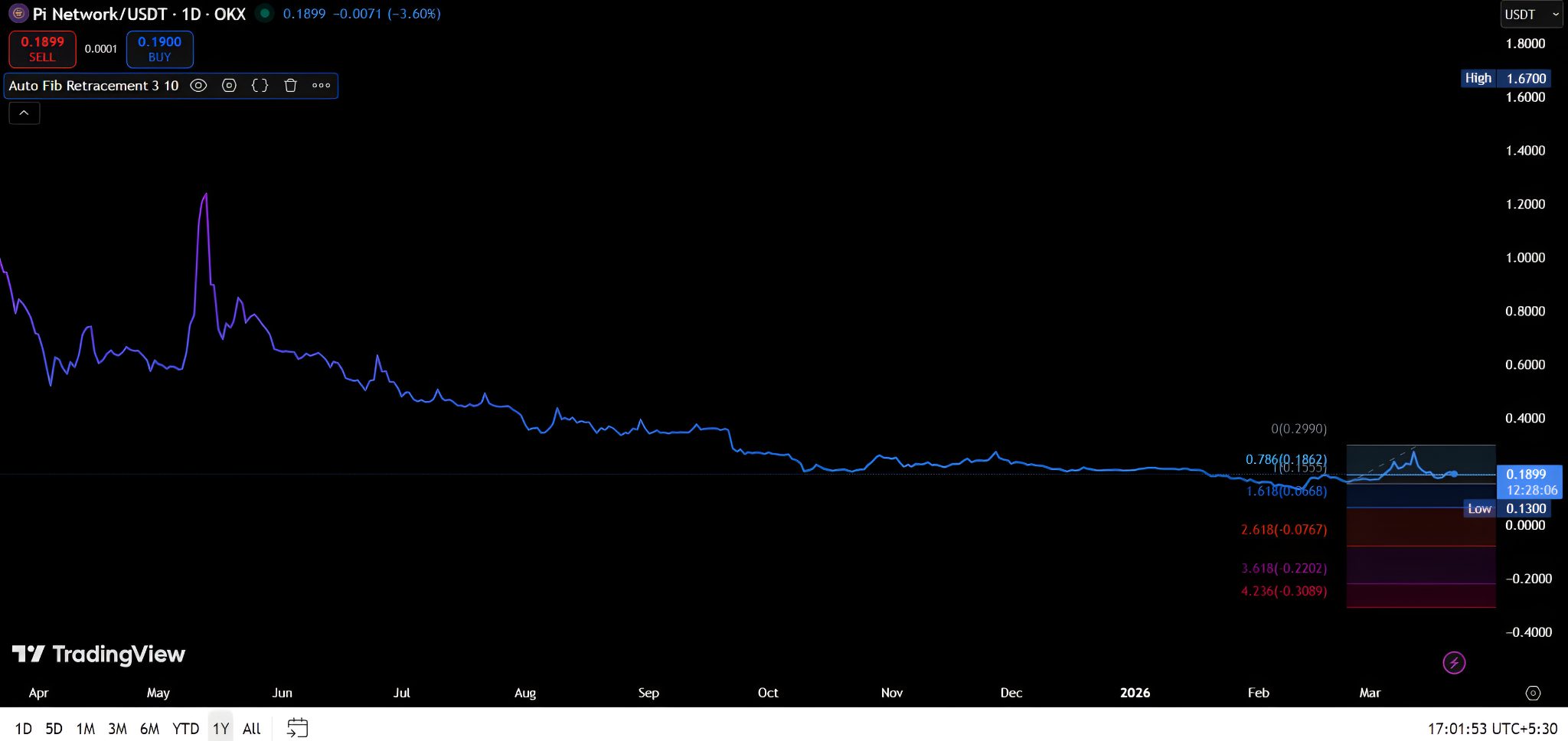
Pi coins started trading officially on February 20, 2025. Since its launch, Pi’s price has been on a downtrend, losing 93.60% from its all-time high of $2.99. Currently, it is trading at $0.1899. Unless it breaches the key resistance level of $0.2990 on the 1-year chart, a trend reversal is unlikely. Therefore, it may not be the right time to sell Pi coins.
Requirements Before You Can Sell Pi Coin
- Create PI Account: Register on the Pi mobile app to mine coins.
- Pass KYC verification: Verify your identity using the Pi Browser app. If you fail to pass KYC, your Pi tokens will remain locked in the Pi app’s testnet. You can’t sell, trade, transfer, or migrate them.
- Migrate coins to the mainnet: Once your KYC is approved, move your Pi coins from the app’s enclosed network to the open mainnet. To do so, use the “Mainnet Checklist” in the app.
- Set up wallet: To store the migrated coins, link a compatible crypto wallet to your Pi account. Most investors set up the official Pi wallet through the Pi Browser app. Since it is a self-custody wallet, you’re responsible for safeguarding its private key and 24-word seed phrase.
- Check lockup status: If you’ve locked Pi tokens on the network to boost staking rewards, unlock the tokens before selling.
- Choose liquid exchanges: Select exchanges that offer sufficient order book depth for Pi trading pairs. Lack of liquidity may result in unsuccessful trades or undesirable execution prices.
Where Can You Sell Pi Coins?
Top Centralized Exchanges
OKX, Gate.io, MEXC, and Bitget are the top exchanges for trading or converting Pi coins. They are well-known for their deep liquidity, advanced tools, robust network security, user-friendly interface, and competitive fees.
These platforms follow a tiered fee structure. As your 30-day trading volume increases, you climb to higher VIP levels and enjoy lower fees. Additionally, they don’t charge deposit fees, and withdrawal fees vary based on the blockchain and cryptocurrency.
- OKX: OKX is a reputable crypto exchange that serves millions of users across 100+ countries. It predominantly offers five Pi pairs: PI/EUR, PI/USD, PI/BRL, PI/USDT, and PI/TRY. Regarding fees, OKX charges a 0.2% maker and 0.35% taker fees for non-VIP users.
- Gate.io: If you want to trade PI/USDT, Gate.io is the best exchange, as it offers the highest liquidity. For non-VIP users, it charges maker and taker fees of 0.1%. It serves a global customer base of 34M+ users across 150+ countries. However, Gate.io provides restricted services in 30+ locations, including the US.
- MEXC: Compared to most exchanges, MEXC offers lower fees. It doesn’t charge trading fees for PI/USDC, PI/USDE, PI/EUR. If you want to sell PI/USDT, the taker fee is 0.05%, but the maker fee is 0%. For PI/USD1, both maker and taker fees are 0.1%. Additionally, MX holders receive a 20% discount on select Pi pairs. Though MEXC serves 40M+ users across 170+ countries, it is unavailable in several locations, including the US.
- Bitget: Besides Gate.io, Bitget is a renowned exchange for selling PI/USDT. It has 120M+ registered users worldwide and daily trading volumes exceeding $20B. It charges competitive fees, starting at 0.1% for both makers and takers. Moreover, BGB token holders receive a 20% rebate.
Decentralized Exchanges (DEX)
As of March 2026, DEXs like Uniswap or Orca don’t support Pi buying or selling. However, the Pi network’s own DEX and AMM liquidity pool are in development. They’re expected to become fully usable soon.
P2P Trading Platforms
P2P platforms allow you to swap Pi for fiat currencies or other cryptocurrencies without using an exchange. However, P2P selling involves significant risks.
Without escrow protection, scammers may trick you into sending mainnet-verified Pi tokens. They may promote unverified coins, reverse transactions, or share fake payment screenshots. By engaging in informal, off-platform P2P sales, you could also violate local crypto regulations. The lack of proper tax documentation for such transactions can add to your legal woes.
In essence, execute P2P trades only if you are in regions where no major crypto exchanges operate. Sell small amounts and transact with trusted contacts only. If possible, utilize escrow services while using P2P platforms.
How to Sell Pi Coin?: Step-by-Step Guide
Step 1: Choose Your Trading Platform
Assess supported exchanges based on various parameters like trading features, fees, and security. Choose a suitable platform based on your goals and preferences. Visit the official website of the chosen platform or download its mobile application.

Step 2: Register and Verify Your Exchange Account
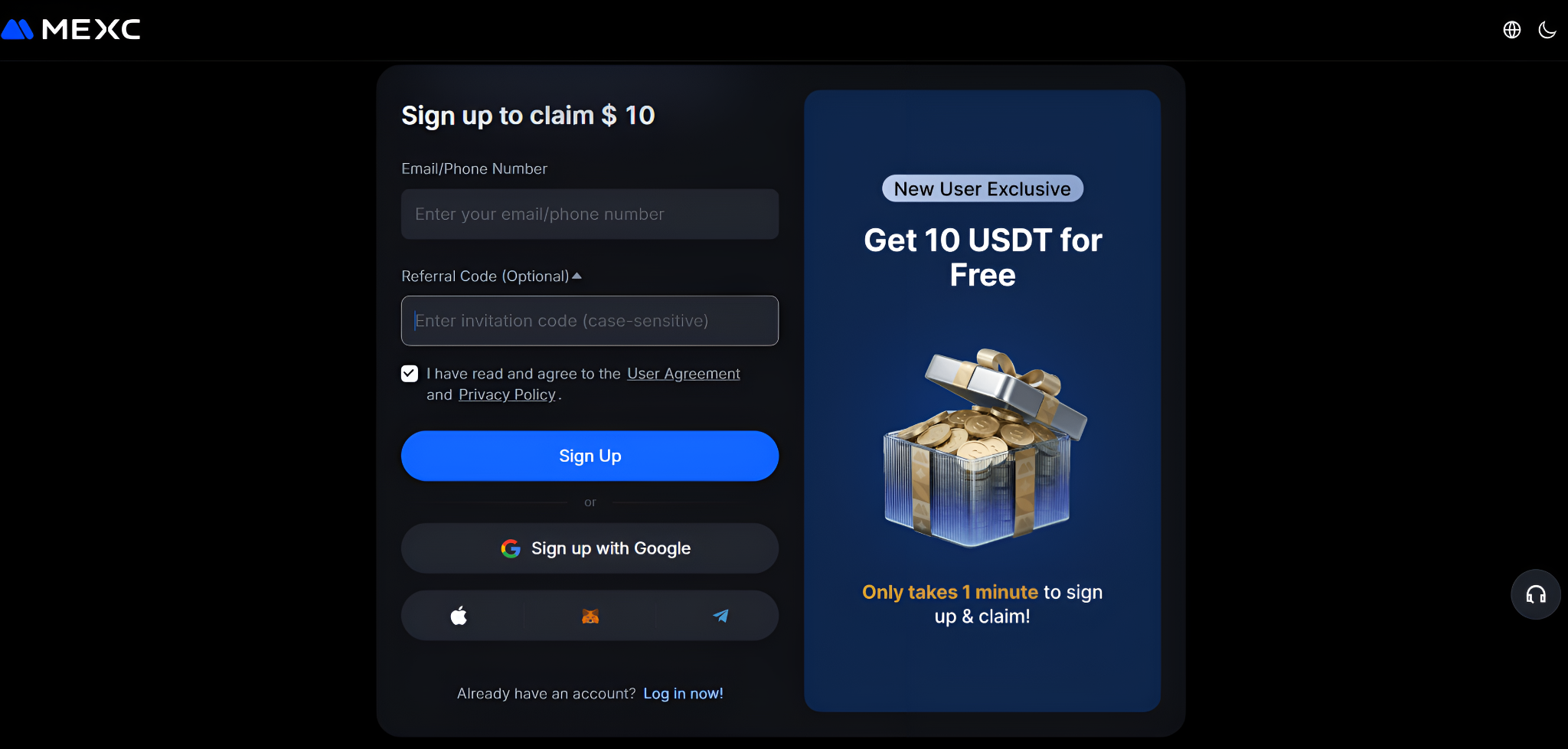
Create an account on the chosen exchange by entering basic details like your name, location, email, and phone number. Set up a secure password. Once you complete the registration process, proceed to identity verification.
To verify KYC, furnish a government-issued identity and address proof, such as a passport or driver’s license. Next, upload a live selfie to complete facial verification. After you’ve submitted the necessary documents, the platform will review and approve your KYC, usually within 1-5 days.
Step 3: Transfer Pi to Your Exchange
To deposit your Pi coins in your exchange account, log in to your Pi Network wallet. Go to your exchange account and copy the deposit address. Double-check and paste this address into your Pi wallet’s “Send” field. Initiate the transfer and wait for network confirmations. If the transaction is successful, the transferred coins will appear in your account.
Step 4: Find the Pi Coin Trading Pair
Select a suitable Pi coin trading pair. While PI/USDT is the most popular pair, some exchanges also offer other pairs like PI/USDC and PI/EUR.
Step 5: Place a Sell Order
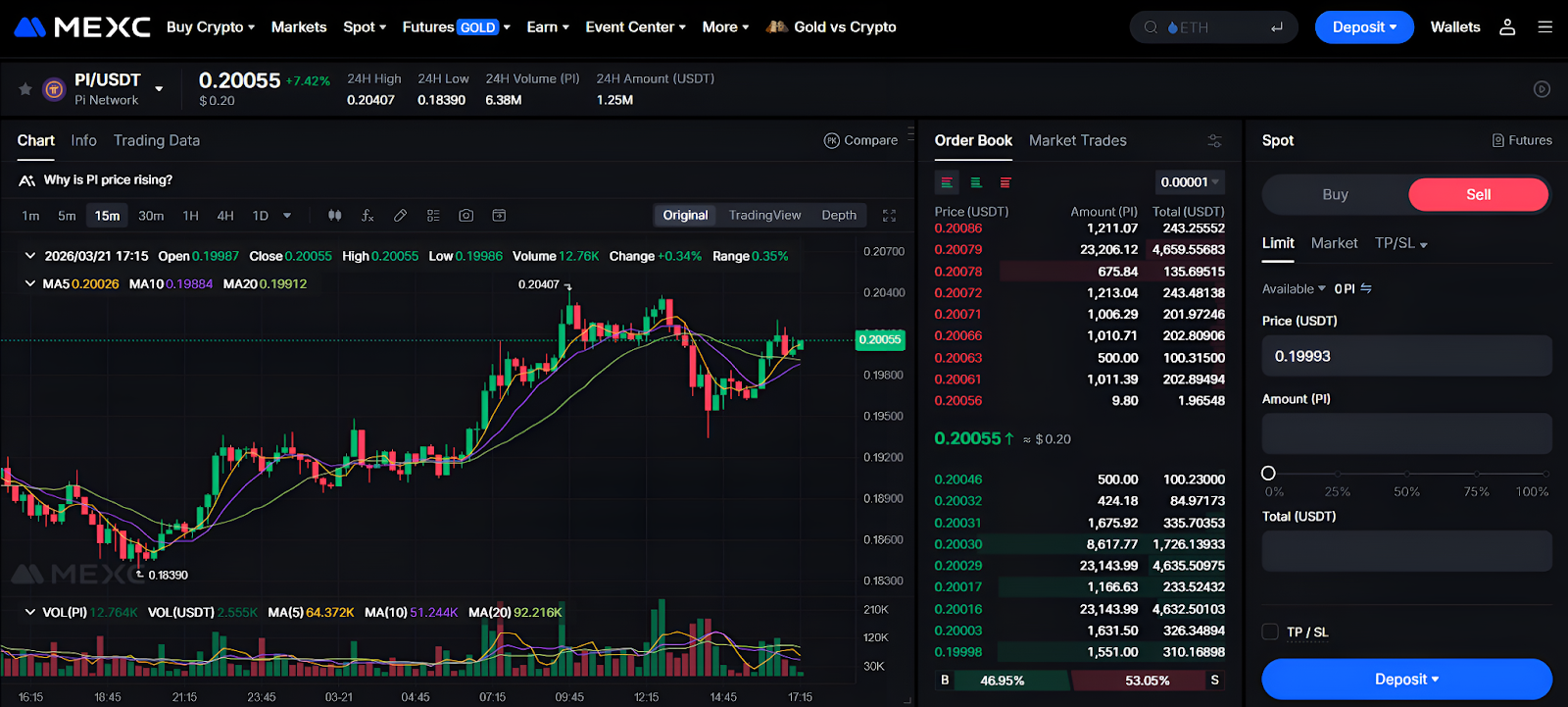
After navigating to the chosen pair, place a market or limit order. Then, enter the amount of PI coins you want to sell. Review the transaction details and click the “Sell” button. If successful, the sale proceeds will reflect in your account.
Fees and Costs When Selling Pi Coin
- Trading fees: When you sell Pi coins, the exchange will deduct a small percentage of the total trade value as a fee.
- Withdrawal fees: You must incur a fee when withdrawing cryptocurrencies from an exchange to your wallet.
- Slippage: When your sell order executes at a lower price than expected, you incur higher slippage costs. Lower liquidity in a Pi trading pair leads to a thinner order book and greater slippage.
Risks of Selling Pi Coin
- Actual PI vs IOU: Some platforms issue “I Owe You” (IOU) promissory tokens, which represent a promise of Pi coins. These tokens aren’t backed by real mainnet Pi. You may not be able to redeem them for actual Pi later. Actual Pi coins are the native tokens of the Pi Network that have been migrated to the mainnet.
- Unauthorized listings: Not every exchange listing is authorized or endorsed by the Pi network’s team. If you sell PI coins on such exchanges, you may fall prey to scams and incur losses.
To mitigate the above risks, check the network’s KYB-verified businesses list. Only the businesses included in this list offer real Pi coins and can generate Pi wallet addresses on the mainnet.
Key Tips for Selling Pi Coin Smartly
- Look for clear market signals: Since Pi coin is extremely volatile, don’t place a sell order until the technical indicators give strong bullish signals. Sell during bull runs to clock higher profits.
- Double-check wallet address and KYC: Your Pi sales will be unsuccessful if you haven’t verified KYC or entered the correct wallet address. Besides, you need to ensure your Pi tokens are fully migrated to the mainnet.
- Don’t sell in one shot: As Pi is subject to intense price volatility, offloading your entire Pi balance in one go may not be profitable. Sell small portions at a time to minimize slippage and avoid market downswings.
- Monitor trading costs: High network/gas fees and platform charges lower your gains. Avoid exchanges that charge higher fees. Don’t trade when network congestion is heavy.
- Avoid less liquid platforms: Select platforms that possess strong order book depth. Steer clear of exchanges that aren’t connected to the mainnet or trade IOUs.
Conclusion
Recent network upgrades and the expansion of the Pi ecosystem could push the coin’s market price up. However, before making any selling decisions, conduct your own research and evaluate your risk tolerance. As market conditions are unpredictable, exercising caution and applying due diligence is essential.
FAQs
Yes. Some centralized exchanges offer fiat trading pairs like PI/USD and PI/EUR, enabling you to sell Pi for real money. However, availability may vary by region and platform.
Yes. You need KYC to migrate Pi coins to the mainnet. Without migration, your Pi tokens will remain locked in the app’s testnet and can’t be sold.
IOUs represent a promise of Pi tokens but aren’t backed by real mainnet Pi coins. They are promissory tokens that may not be redeemable for PI in the future. Conversely, a real Pi is a native token on the mainnet, which can be sold/transferred.
Depending on your location and withdrawal method, it can take anywhere between a few minutes and several days to withdraw Pi.
To withdraw Pi from the Pi network app, you must verify KYC and migrate your Pi coins to the mainnet. Some transfer functionalities may be restricted as the mainnet is operational but not fully mature yet.